Featured Post 1 Title

Replace these every slide sentences with your featured post descriptions.Go to Blogger edit html and find these sentences.Now replace these with your own descriptions.This theme is Bloggerized by Lasantha - Premiumbloggertemplates.com.Download more free blogger templates from www.premiumbloggertemplates.com.

Read More

Featured Post 2 Title

Replace these every slide sentences with your featured post descriptions.Go to Blogger edit html and find these sentences.Now replace these with your own descriptions.This theme is Bloggerized by Lasantha - Premiumbloggertemplates.com.Download more free blogger templates from www.premiumbloggertemplates.com.

Read More

Featured Post 3 Title

Replace these every slide sentences with your featured post descriptions.Go to Blogger edit html and find these sentences.Now replace these with your own descriptions.This theme is Bloggerized by Lasantha - Premiumbloggertemplates.com.Download more free blogger templates from www.premiumbloggertemplates.com.

Read More

Featured Post 4 Title

Replace these every slide sentences with your featured post descriptions.Go to Blogger edit html and find these sentences.Now replace these with your own descriptions.This theme is Bloggerized by Lasantha - Premiumbloggertemplates.com.Download more free blogger templates from www.premiumbloggertemplates.com.

Read More

Featured Post 5 Title

Replace these every slide sentences with your featured post descriptions.Go to Blogger edit html and find these sentences.Now replace these with your own descriptions.This theme is Bloggerized by Lasantha - Premiumbloggertemplates.com.Download more free blogger templates from www.premiumbloggertemplates.com.

Read More
Showing posts with label coreldraw. Show all posts

May 25, 2010

The Winner of CorelDRAW International Design Contest 2009

image

CorelDRAW® International Design Contest 2009
The winners are in!

Corel is thrilled to announce our Design Contest winners. Thanks to all of our participants and the many CorelDRAW fans who continue to make this product a world-class leader in graphic design.


Grand Prize

Roland VersaCAMM VP-540i 54" printer/cutter (valued at $21,995 US).

Aleksey Oglushevich
Russia

image

Winners in each Category

Categories
Advertising & Marketing
Promotional Items, Awards & Personalization
Vehicle Wraps
Textile & Fashion Design
General Illustration & Fine Art
Academic

Advertising & Marketing

1st Prize:

Juarez Jr. Da Silva
Brazil

image

2nd Prize:

Francisco Miranda
Argentina

image

3rd Prize:

Michal Polák
Czech Republic

image

Promotional Items, Awards & Personalization

1st Prize:

Aleksey Oglushevich
Russia

image

2nd Prize:

Rodolfo Castellon
Mexico

image

3rd Prize:

Karla Sabina Uribe de Zazueta
Mexico

image

Vehicle Wraps

1st Prize:

Arief Rachman
Indonesia

image

2nd Prize:

Eder de Nale
Brazil

image

3rd Prize:

Felipe Cortes
Brazil

image

Textile & Fashion Design

1st Prize:

Junior Souza
Brazil

image

2nd Prize:

Alexander Poslykhalin
Russia

image

3rd Prize:

Jose luis Vallribera Gonzalez
Spain

image

General Illustration & Fine Art

1st Prize:

Aleksey Oglushevich
Russia

image

2nd Prize:

Michal Milkowski
Poland

image

3rd Prize:

Yu-Chi Lin
Taiwan

image

Academic

1st Prize:

Fong-Chow Chiang
Taiwan

image

2nd Prize:

Ankit Dembla
India

image

3rd Prize:

Camilo A. Rodriguez Salinas
Mexico

image

So, are you the next? Be the Winner of CorelDRAW International Design Contest 2010. I will participated with my design.


CorelDRAW X5 Free Trial Download

image

He guys… Let’s try a new CorelDRAW version. Now Corel upgrade they software, that is CorelDRAW X5. Let’s read the overview.

Graphic design software for striking visual communication

Put the power of CorelDRAW® Graphics Suite X5 behind your ideas and make a bold impact across any media. This versatile graphic design software has it all—vector illustration, page layout, photo editing, tracing, Web graphics and animation in one tightly integrated suite. Designed for professional and aspiring designers alike, it offers a quick, intuitive workflow, high-value digital content, market-leading file compatibility and graphic design tools that let you do more than you thought possible!

image

Overview

Creativity and power come together in CorelDRAW Graphics Suite X5. With increased speed, more accurate color control, enhanced vector illustration tools and new Web capabilities, it’s a must-have for any designer. Get going quickly with new professionally designed templates and learning materials. Find graphics, fonts and images on your computer faster than ever with new Corel® CONNECT. Re-purpose and share your creations anywhere with expanded file compatibility. Then output everywhere, from Web banners and animations, to logos, custom signs and more.

  • More speed with new multi-core support
  • More rich content and professional templates
  • More learning tools, video tutorials and expert tips
  • More compatibility, with support for over 100 file formats
  • More color control and consistency
  • More Web capabilities, including Flash animation support
  • More output options for print, Web, digital signs and more

All-in-one professional graphics suite

Find everything you need for professional graphics illustration, layout, tracing, photo editing, Web graphics and animation in one complete suite of integrated applications that is easy to learn and use.

Easy to learn and use

Start smoothly and learn quickly with built-in learning tools, valuable video tutorials, design insights from experts and a visually rich, online guidebook. (A hard cover, full-color, printed guidebook is included with the box version.)

High-value digital content

Enrich your designs with over 1,000 professional fonts, including Helvetica®, Garamond® and Frutiger® fonts for the first time ever. Plus, take advantage of high-value digital content, such as premium clipart, royalty-free photos and vehicle templates.

Precise control and easy sharing

Output to a broad variety of media, from distinctive logos and signs, to striking marketing materials, Web graphics, billboards and car wraps. Export options let you compare file formats before export, so you can optimize your settings to achieve the highest file quality.

Market-leading file compatibility

Re-purpose and share your creations anywhere with market-leading file compatibility. Import and export files quickly and easily with dozens of supported file formats, including PDF, JPG, PNG, EPS, AI, TIFF, PSD and DOCX.


What's New

This is the upgrade you’ve been waiting for! CorelDRAW Graphics Suite X5 makes everyday tasks faster and easier, delivering new time-savers that help you create with confidence. Check out the 10 most compelling reasons to upgrade your graphics software today.

New! Built-in Content Organizer

Speed up your workflow with Corel® CONNECT, a built-in content organizer that helps you find graphics, templates, fonts and images instantly on your computer. Your selected content is stored in the tray that is synchronized between CorelDRAW® and Corel® PHOTO-PAINT™, giving you instant access to your content.

image

New! Completely Re-designed Color Management Engine

Control color consistency across different media and generate a distinct color palette for each document. A new color management engine introduces greater color accuracy, plus support for new color profiles from PANTONE®. Minimize your ecological footprint and reduce costly reprints by knowing that your colors are accurate before you print.
image

New & Enhanced! Web Graphics and Animation Tools

Create Web graphics and animations more efficiently than ever with new features, such as a Pixels mode that shows exactly how your content will display online, and a new Web animation tool. Plus, a new Export Dialog box now lets you compare file formats before export, so you can optimize your settings to achieve the highest file quality.

image

New & Enhanced! Visual Communication Tools

Create compelling print and online materials with a powerful set of new and enhanced drawing, bitmap-to-vector tracing, diagramming, artistic media and text tools. It’s all the graphics software you need for effective visual communication.

image
Enhanced! Corel® PowerTRACE™

Convert your bitmap images into high-quality vector objects with even more precision and smoothness, thanks to the greatly enhanced Corel PowerTRACE. This version of PowerTRACE provides the best tracing results yet.

image

Enhanced! Optimal Speed and Performance

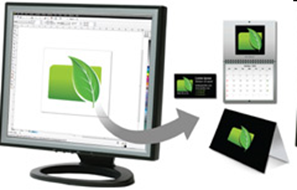
Complete your tasks faster with powerful performance enhancements that leverage multi-core processing to maximize your computer’s power. This latest edition is optimized for Windows® 7 and offers new touch-screen support, as well as support for Windows Vista® and Windows® XP.

image

Enhanced! Market-leading File Compatibility

Re-purpose and share your creations anywhere with broad file compatibility. Dozens of supported file formats, including PDF, JPG, PNG, EPS, AI, TIFF, PSD and DOCX, let you import and export files with other graphics software efficiently.

New & Enhanced! Responsive Drawing Tools

In response to user feedback, we’ve introduced the option to lock toolbars in place, expanded your printing options, and made improvements to the Eyedropper, Mesh Fill and other popular drawing tools.

New & Enhanced! Expert Insights and Engaging
Learning Materials

Get more design insights with new and updated video tutorials, engaging learning materials and a visually rich, online guidebook that contains new articles from experts. (A hard cover, full-color, printed guidebook is available with the box version.) Be inspired to do more than you thought possible!

New & Enhanced! High-value Digital Content

Enrich your designs with over 1,000 professional fonts, including Helvetica®, Garamond® and Frutiger® fonts for the first time ever. Plus, take advantage of high-value digital content, such as premium clipart, royalty-free photos and vehicle templates. Give your work a professional finish without spending extra time and money— you’ll find all the graphics software and resources you need right here!

image


System Requirements

  • Microsoft® Windows® 7, Windows Vista®, Windows® XP, with latest service packs installed (32-bit or 64-bit editions)
  • Intel® Pentium® 4, AMD Athlon™ 64 or AMD Opteron™
  • 512 MB RAM (1 GB recommended)
  • 750 MB hard disk space (1 GB for typical installation without content). Up to 6GB needed to install extra content
  • Mouse or tablet
  • 1024 x 768 screen resolution (768 x 1024 on a Tablet PC)
  • DVD drive
  • Microsoft® Internet Explorer® 7 or higher

Download Here


May 16, 2010

Drawing Google Wave Logo with CorelDRAW

Drawing Google Wave Logo with CorelDRAW

You know Google Wave? Can you sign up? We must send invitation to Google Wave Team for this time. I trying twice, and not success. But, I’m not disappointed, because there’s another days to trying, but this Wave still in Beta version. I wish Google Wave more better and open to all users in the worlds. And now, I’m not talking about “How To Sign Up in Google Wave”, but now I will teaching you How To Drawing Google Wave Logo with CorelDRAW. Google Wave have simple structure design and coloring, and use Bezier Tool to make the logo and for coloring use Interactive Fill Tool and Transparency Tool, and almost forget, we need to use Drop Shadow Tool for the best design.

Ok, we start to make this. follow my steps:

1. Open your CorelDRAW (in this tutorial I use a new CorelDRAW, CorelDRAW X5).

2. Choose Bezier Tool in the Tool Box.

Bezier Tool

3. Draw 4 design with Bezier Tool like the picture below.

Design 1cDesign 2c

Design 3cDesign 4c

4. Select one of the design, selection all the line.

Design 1b

Choose Shape Tool.

Shape Tool

Click right and convert all line To Curve.

To Curve

And should like this.

Design 1

5. Do the same tricks with other design. And the result should like this.

Design 2

Design 2a Design 2b

Design 3

Design 3a Design 3b

Design 4

Design 4a Design 4b

Remember, try the line same with this pictures, because one mistakes, all wrong.

6. And if finish, now we give the color. Choose one of the design.

A. Choose the match color, C:100 M:0 Y:0 K:0, after that give Interactive Fill Tool image , should like this.

Google Wave Color 1

If finish, do with other design.

B. Give the match color, R: 254 G:0 B:0. After that, give Interactive Fill Tool image , should like this.

Google Wave Color 2

C. Give the match color, C:100 M:0 Y:100 K:0. After that, give Interactive Fill Tool image , should like this.

Google Wave Color 3

F. And finally, give the match color, R:238 G:178 B:19. After that, give Interactive Fill Tool image, should like this.

Google Wave Color 4

7. Now, we give the design Light Effects. Follow this steps.

Draw a design like the picture below.

(REMEMBER: When give the color, use the color first time when we give the color for previous design).

Light Effect 1 Light Effect 2Light Effect 3

Light Effect 4

8. And use Interactive Fill Tool and Transparency Tool.

SHOULD LIKE THIS!

With “Interactive Fill Tool image” and “Transparency Tool image ” .

A. Design 1

Interective Fill ToolTransparency Tool

B. Design 2

Interective Fill ToolTransparency Tool

C. Design 3

Interactive Fill ToolTransparency Tool

D. Design 4

Interactive Fill ToolTransparency Tool

9. If finish, place the Light Effects like this.

Google Wave part 1Google Wave part 2

Google Wave part 3Google Wave part 4

If have trouble to join the Light Effect to the design, click Light Effect node to Design node. Look the pictures!

Node BeforeNode After

10. Join the design one by one, like this.

Google Wave Logo 1Google Wave Logo 2

11. Now, its time for give the Shadow Effects.

12. Select all the design, convert to Group, click CTRL + G.

Wave Logo Group

13. And choose Drop Shadow Tool in the Tool Box.

Drop Shadow Tool

14. In the Presets dropdown, choose Perspective Top Left.

Perspective Top Left

15. After that, this is the result.

BEFORE GIVE THE SHADOWS.

Google Wave Logo

AFTER GIVE THE SHADOWS.

Google Wave Logo Shadows

16. If the step not missing, we can find the design like this. Made by FanArshavin owners.

Google Wave Result

If you want to copy this tutorial to your Web or Blog, please respect the owners, write the FanArshavin.com in the below of Tutorial. I made this tutorial really really with full concentrate and created with High Quality Design. Thank’s.

And share this tutorial to other people.